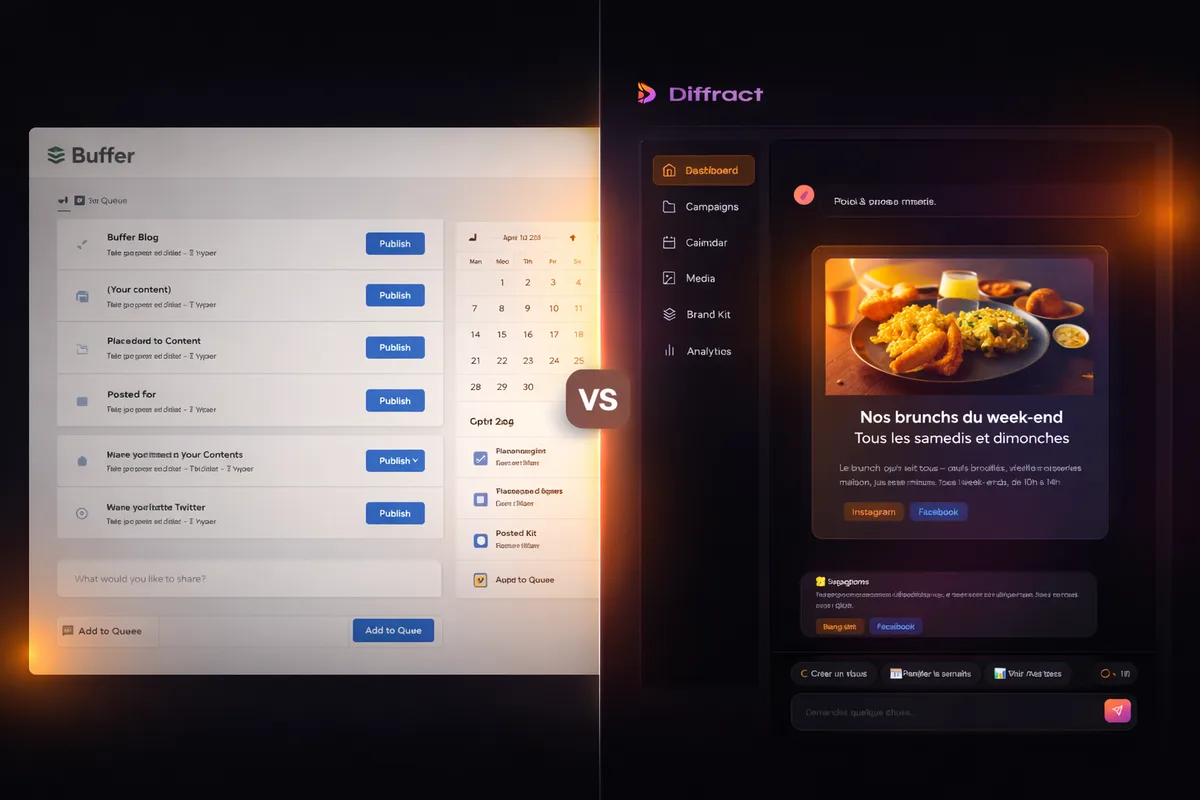
Diffract vs Buffer: Which Tool for Your Social Media?
You need a tool to manage your social media without spending your evenings on it. Buffer comes up in every recommendation. Diffract, increasingly so. Both promise to simplify your life, but they don't do the same thing at all.
This comparison is for small business owners and solo entrepreneurs who want to understand the real differences, the actual pricing, and each tool's limits before spending a dime.
The Verdict in One Sentence
Buffer is an excellent post scheduler. Diffract is an assistant that creates your content (text and visuals) then publishes it for you. If your problem is "I don't know what to post and I don't have visuals," Buffer won't solve it. Diffract will.
What Buffer Does (and Doesn't Do)
Buffer has been around since 2010. It's one of the most well-known and well-regarded scheduling tools on the market, and that reputation is deserved. Buffer — Official pricing page(2026)
Post scheduling. Buffer does this very well. You write your posts, drop them into a calendar, and pick your publication time. The interface is clean, intuitive, and pleasant. That's what built its reputation: no fluff, everything is simple.
The AI writing assistant. Buffer added a GPT-4-powered writing assistant. It can rephrase your copy, adjust the tone, and suggest variations for each platform. It's a solid assisted-writing tool, available even on the free plan. Buffer — AI Assistant(2026)
Analytics from basic to advanced. The free plan gives you 30 days of history. Paid plans unlock more detailed reports and timing recommendations.
The mobile app. Well-designed, responsive, and practical for scheduling a post from the field. A real strength.
But Buffer doesn't create your visuals. You have to produce them yourself on Canva, Photoshop, or another tool, then import them. It also doesn't generate complete content from a simple request. The AI assistant helps polish text, not conceive an entire post with its visual from scratch.
What Diffract Does (and Doesn't Do)
Diffract is newer and starts from a different premise: the problem for small businesses isn't scheduling. It's creating the content itself.
Content creation through conversation. You describe what you want in plain language ("a post to announce our summer sale with a punchy visual") and the AI generates the text, hashtags, and visual — all tailored to your brand voice.
Brand visual generation. This is the fundamental difference. Diffract creates professional visuals that respect your brand guidelines: your colors, your logo, your typography. No Canva, no designer, no stock photos. You describe it, the AI produces it.
Multi-platform publishing. The same content is adapted and published on Instagram, Facebook, LinkedIn, and X. Dimensions, format, and tone are adjusted automatically.
Conversational interface. No complex menus, no learning curve. You talk to the assistant, approve, and it publishes. Built for people who don't have time to learn yet another tool.
But Diffract has its limits too. It's newer than Buffer, with a less mature ecosystem. It doesn't manage community interactions (comments, DMs). And it requires your approval before publishing — nothing goes live without your sign-off.
Feature-by-Feature Comparison
| Feature | Buffer | Diffract |
|---|---|---|
| Post scheduling | Yes, historic strength | Yes, built-in |
| AI caption creation | Yes, rephrasing and suggestions | Yes, full creation from a brief |
| Visual creation | No (manual import) | Yes, AI generation matching your brand |
| Multi-platform | Yes (Instagram, Facebook, LinkedIn, X, TikTok, Pinterest...) | Yes (Instagram, Facebook, LinkedIn, X) |
| Conversational interface | No | Yes, chat-based |
| Built-in brand identity | No | Yes, colors, logo, and tone learned automatically |
| Analytics | Yes, basic to advanced depending on plan | Yes (Pro plan) |
| Team collaboration | Yes (Team plan) | Yes (Pro plan, up to 5 members) |
| Mobile app | Yes, well-designed | No (planned) |
| Track record | Since 2010, mature ecosystem | New, evolving rapidly |
The picture is clear: Buffer excels at scheduling and distribution. Diffract excels at creation. They're not direct competitors — they're complementary tools that partially overlap.
Pricing Comparison
Buffer prices are calculated per channel (one Instagram account = one channel, one LinkedIn account = one channel). Buffer Help Center — Plans and features(2026) Diffract prices are flat-rate.
| Plan | Buffer | Diffract |
|---|---|---|
| Free | 3 channels, 10 scheduled posts per channel, AI included | — |
| Entry-level | Essentials: $5/mo per channel, unlimited posts | Starter: $39/mo, 1 account, 15 AI visuals |
| Team | Team: $10/mo per channel, unlimited users | Pro: $79/mo, 10 accounts, 50 AI visuals, 5 members |
Let's take a concrete case: a small business with 4 social accounts (Instagram, Facebook, LinkedIn, X).
With Buffer Essentials: 4 channels x $5 = $20/month. You get scheduling and the AI writing assistant. But you create your visuals elsewhere. If you use Canva Pro for that, add $13/month. Total: around $33/month, not counting the time spent designing visuals.
With Diffract Starter: $39/month for 1 account with visuals included. For 4 accounts, you need the Pro plan at $79/month, which includes up to 10 accounts, 50 generated visuals, and complete content creation.
With Buffer Team (if you have a team): 4 channels x $10 = $40/month. Still without visual creation.
In summary: Buffer is cheaper if your only need is to schedule posts you've already created. Diffract appears more expensive but includes content and visual creation. The real cost depends on how much you spend (in time or money) producing that content today. If you spend 5 hours a week creating content and visuals, put a value on that time — it's the equivalent of hundreds of dollars per month.
Buffer's Free Plan: A Real Advantage
Let's be honest: Buffer's free plan is generous. Three channels, ten scheduled posts per channel, access to the AI assistant. For a solo entrepreneur just starting on social media who already has visuals and copy ready, it's enough to get going without spending a cent. Buffer — Pricing(2026)
Diffract doesn't offer a free plan. That's a deliberate choice: AI-generated visuals have a real production cost. The $39/month Starter plan is the entry point.
If your budget is strictly zero, Buffer is the answer. No debate.
Strengths and Limits of Each Tool
Buffer
Pros
- ✓ Functional free plan to get started
- ✓ Simple, intuitive interface with quick onboarding
- ✓ Polished mobile app
- ✓ Over 15 years of existence, mature and stable ecosystem
- ✓ Broad platform support (TikTok, Pinterest, Mastodon...)
- ✓ AI assistant included in all plans
Cons
- ✗ No visual creation at all (manual import only)
- ✗ AI rephrases but doesn't create full content
- ✗ Per-channel pricing adds up fast with multiple accounts
- ✗ No built-in brand identity management
- ✗ Requires a third-party tool for visuals (Canva, Photoshop...)
Diffract
Pros
- ✓ Complete content creation: text, visuals, and publishing
- ✓ Generated visuals that respect your brand guidelines
- ✓ Conversational interface, no technical skills needed
- ✓ Flat-rate pricing (no per-channel billing)
- ✓ Native multi-platform with automatic adaptation
- ✓ Available 24/7, no delivery delays
Cons
- ✗ No free plan
- ✗ Newer tool, less user track record
- ✗ Fewer supported platforms than Buffer
- ✗ No dedicated mobile app (for now)
- ✗ No community management (comments, DMs)
Choose Buffer If...
You already have your content. You know what to post, you have your visuals ready (or someone creates them for you), and you need a reliable tool to schedule and distribute. Buffer has done that for 15 years and does it well.
Buffer is also the right choice if you're starting with a zero-dollar budget. The free plan lets you test scheduling across three channels with no commitment. If you want to figure out what posting rhythm works before investing, it's an excellent starting point.
Finally, Buffer fits if you're comfortable with a multi-tool workflow: Canva for visuals, ChatGPT or another tool for copy, Buffer for scheduling. Some people prefer assembling their own stack to using an all-in-one solution.
Choose Diffract If...
Your real problem isn't scheduling. It's that you don't know what to post, you don't have professional visuals, and you don't have time to create them. You want to say "make a post to promote our weekend offer" and have it done — text and visual included, matching your brand identity.
Diffract is built for entrepreneurs managing their socials alone who want professional results without a designer's or copywriter's skills. If you're debating between hiring a freelance community manager and using a tool, our freelancer vs. Diffract comparison covers both options. And to understand the real cost of managing your socials, check out our analysis of social media manager pricing in 2026.